How To Identify Misprint Pokemon Cards Without Confusing Damage
Do not upgrade the claim faster than the evidence.
A strange-looking card is not automatically a trophy.
Treat it like a case file. The collector job is to separate a real production oddity from the much larger pile of dents, stains, trimming, fading, cleaning, sleeve glare, and wishful thinking.
- Treat every weird card as a candidate until exact identity, error category, damage screen, and source checks line up.
- Name the possible production route before arguing value: miscut, crimp, ink, registration, texture, holo, stamp, wrong back, or known text/design issue.
- Check the ordinary explanation first. Trimming, stains, scratches, water, recoloring, dents, creases, and altered cuts create many false misprint stories.
- Use known examples as comparison routes, not proof that your copy has the same error.
- Keep the BinderDex record neutral until the evidence supports a stronger claim.
The Damage-Screen Read
To identify a misprint Pokemon card without confusing damage, start with a skeptical route: lock the exact card, name the possible factory error, run a damage screen, then check outside references before you call it confirmed.
Most bad misprint calls happen in the first minute. The card looks strange, the collector wants the strange thing to matter, and the claim hardens before the evidence is organized. That is backwards. Move the card from weird, to documented, to plausible, to verified.
The bigger collector issue is not whether misprints are real. They are. CGC publishes a detailed error guide with printing, cutting, packaging, texture, obstruction, crimp, and square-cut examples. PSA also recognizes miscut as a no-grade designation in its standards.
The harder issue is separating a factory story from ordinary handling damage. Trimming, cleaning, recoloring, creases, dents, scratches, stains, water rippling, and edge whitening can all make a card look unusual. They do not automatically make it an error.
- Identity lock: Confirm card name, set, number, language, finish, variant, and expected card text. Use the official Pokemon TCG database before judging the anomaly.
- Error category: Name the category: miscut, off-center, crimp, obstruction, missing ink, extra ink, misregistration, texture shift, holo anomaly, stamp issue, wrong back, or known text/design error.
- Damage screen: Look for stress marks, surface breaks, stains, water ripple, whitening, pressed creases, uneven trimming, cleaned borders, recoloring, or unnatural edge tone.
- Verification route: Compare normal copies, check CGC and PSA guidance, look for known examples, and keep the label provisional until the source trail supports it.
I would rather call a card "plausible, needs verification" for a month than call damage a factory error for a year. That posture protects the collector, the buyer, and the card's record.
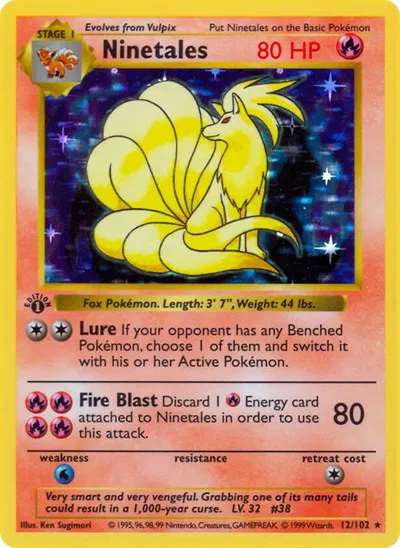
Use a stable normal-card page as the comparison point before deciding whether a text, print, cut, or surface issue deserves the misprint route.
Price and chart data update with BinderDex · Last refreshed Oct 11, 2026. Editorial commentary reflects the article's published snapshot.
A misprint screen starts by locking the normal card. Use exact set, number, era, and finish before naming the anomaly.
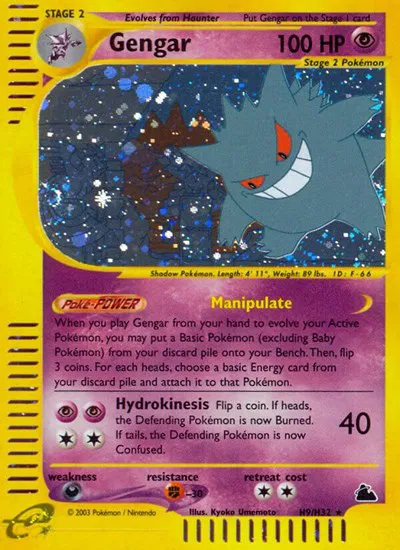
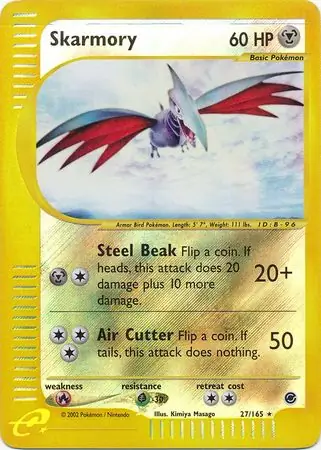
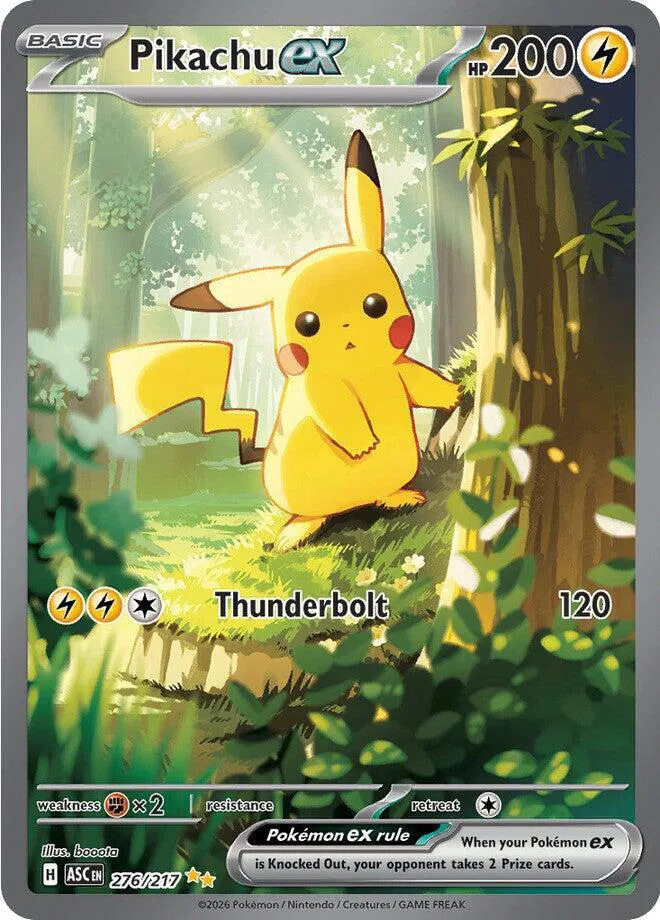
Use those baselines differently. Ninetales is useful because known text issues need exact wording and print context. Gengar and Skarmory are useful because older holo cards can carry surface wear that looks more mysterious than it is. Pikachu ex is useful because modern texture, number, and finish have to be checked before a high-value card gets a dramatic label. One rail, four different proof jobs.
What Counts As A Misprint
A misprint Pokemon card is a card with a plausible production error: printing, cutting, alignment, ink, texture, stamp, wrong-back, crimp, obstruction, packaging, or known text/design anomaly. The key is evidence that the issue happened during production rather than after the card entered circulation.
The clean standard is simple: identify the normal card first, document the anomaly second, compare it with known production patterns third, then choose the route. A card can be unusual, collectible to the right person, damaged, fake, altered, or normal variation. "Weird" is the starting observation, not the conclusion.
| Claim level | Evidence required | Useful language | Watch out for |
|---|---|---|---|
| Weird card | The card looks unusual, but the base card or cause is unclear. | "Candidate; needs exact-card and damage screen." | Turning surprise into a value claim. |
| Plausible error | Exact identity is locked and a factory category fits the anomaly. | "Possible miscut," "possible crimp," or "possible ink obstruction." | Ignoring ordinary damage that explains the same look. |
| Documented comparison | Known examples, source guides, or normal copies support the category. | "Comparable to known examples; still verify route." | Treating another card's error as proof for this copy. |
| Decision-ready | Photos, identity, category, condition, and route are documented. | "Candidate for hold, grading review, specialist review, or cautious sale." | Selling or submitting before the evidence supports the label. |
Sources That Do Different Jobs
The best route uses different sources for different jobs. Do not ask one website to do everything.
 Identity sourcePokemon TCG database supportUse this first for exact card identity. The support page explains basic and advanced search fields, including card name, card type, rarity, format, expansion, and illustrator.
 Error taxonomyCGC Cards Error GuideUse this to name the possible error category. CGC shows examples for square cuts, added ink, off-center, offset printing, crimps, printer hickeys, texture-layer issues, and more.Submission policyCGC Cards accepted cards FAQUse this before a submission decision. CGC says it grades printing-error cards, but usually does not grade NFC cards except NFC test prints.
 Grading standardPSA grading standardsUse this for damage and alteration language. PSA lists no-grade reasons for trimming, restoration, recoloration, altered stock, cleaning, and miscut.
 Known examplesBulbapedia Error CardsUse this as a community-maintained index of known Pokemon TCG error examples. Helpful for leads; not an official source.
 Example galleryRubenMisprints Pokemon Errors DatabaseUse these for example galleries and market context only. Do not copy images, and do not treat listings or community posts as final proof.
 Market contextMisprint.com identification articleUse this as a comparison and market-context surface. It is useful for seeing how collectors describe examples, not as final proof by itself.
I would not use any competitor gallery, marketplace listing, or social thread as the only support for a final claim. Those sources are useful for learning what to ask next.
Why Verify More Is The Default
The trap is a false binary: misprint or damage. Serious collectors need a third state: verify more.
That third state matters because production anomalies and damage can share visual symptoms. Crimps can look like creases. Printer hickeys can look like stains. Pinched holo layers can look like roller marks. Square cuts can look like sheet-cut cards. Missing color layers can look like sun fading.
The point is not to drain the fun out of strange cards. It is to preserve trust. A documented candidate is much more useful than a confident claim that collapses when someone notices a cleaned border, recolored edge, pressed crease, or altered cut.
The rule is simple: the more dramatic the claim, the more ordinary explanations you should eliminate first.
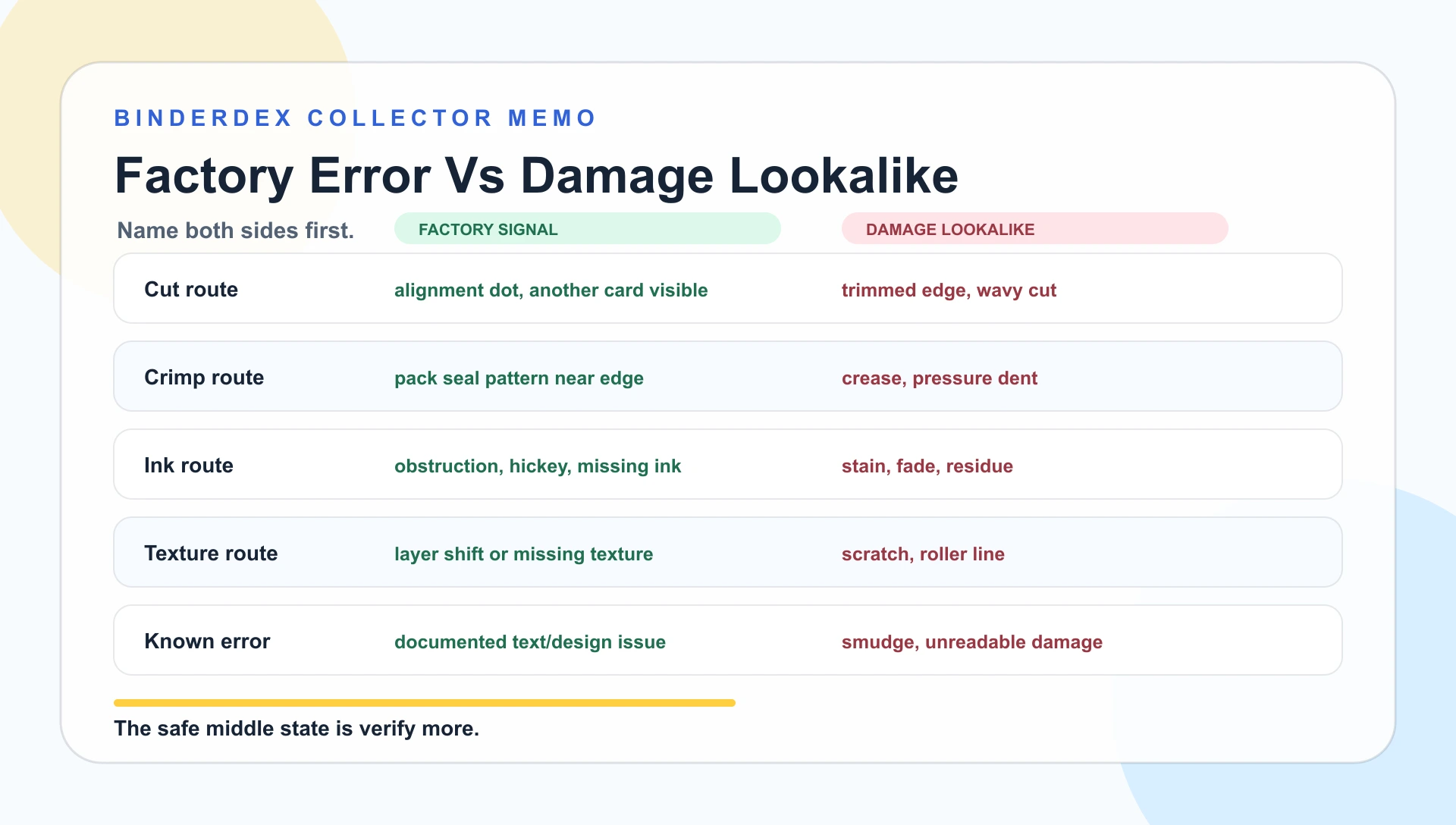
Error Categories And Damage Lookalikes
Start by naming the possible category. "This card looks wrong" is weak by itself. A named category gives the card something testable.
Miscut, minor miscut, and off-center
Off-center cards have uneven margins. Severe miscuts can show alignment marks, parts of another card, or abnormal factory cutting. CGC's guide separates off-center errors from more severe miscuts, and PSA uses "N8 Miscut" when the factory cut is abnormal for the issue.
Trimmed cards can imitate cut errors. PSA describes trimming evidence as altered edges, unusually sharp or uncommon edges, inconsistent edge color, hooked appearance, or wavy unnatural edges. Inspect all four edges before calling a cut-related error.
Crimp, partial crimp, and crimped-and-cut
CGC describes crimp errors as packaging-stage issues where the card slips into the pack crimper. A partial crimp shows part of the seal pattern. Full crimps show the crimp across the card. Crimped-and-cut means the crimping machine also cut part of the card.
Later handling can leave creases, pressure dents, or edge pinches that borrow the shape of a crimp. A true crimp should match a packaging pattern and sit where the pack seal would plausibly hit. Photograph it straight on, from an angle, and with the nearby edge visible.
Missing ink, extra ink, obstructions, and printer hickeys
CGC's error guide includes additional ink, obstruction, retained obstruction, and printer hickey categories. These are production-route claims, not loose color observations. A particle, debris, roller issue, or plate/blanket issue can create an anomaly with a production route you can describe.
Stains, sun fading, water exposure, surface residue, and scratches through the finish can all mimic ink issues. Tilt the card under light. If the mark sits on top of the surface, breaks gloss, or follows a scratch path, keep the claim soft.
Registration, offset printing, and ghost images
Registration and offset issues involve print layers not lining up or a secondary impression showing on the card. CGC's offset printing example explains the appearance of ghost images caused by a shifted plate or blanket during printing.
Photo blur, scanner artifacts, surface haze, and sleeve glare can make a normal card look misregistered. Compare against a normal copy before you decide. The question is whether the printed layers are actually displaced on the card.
Texture, holo, and foil anomalies
Modern textured and holo cards create a second set of traps. CGC lists incomplete texture, misaligned texture, missing texture, doubled holo pattern, holo splice, end-of-holo-roll, foil back, and texture-layer-only examples.
Scratches, roller lines, dents, lifted foil, and surface wear can look like foil or texture oddities. CGC specifically warns that pinched holo layer should not be confused with roller damage, because roller damage shows as indentations on both front and back.
Known text and design errors
Some errors are not one-off manufacturing anomalies. They are known printed-card errors. Bulbapedia's community-maintained index includes examples such as Base Set Voltorb using "Monster Ball," Base Set Vulpix showing "HP 50," Imposter Professor Oak text, Fossil Krabby symbol issues, Blue Stain Haunter, and nonholo Dark Dragonite.
Damage is not the main trap here. The risk is assuming a typo on one card is a one-off misprint. Real text/design issues should usually be documented across a print run or known variant, not a single damaged copy.
If the card might be fake rather than damaged or misprinted, use how to tell if a Pokemon card is fake before treating the oddity as a production issue.
Source Cards And Comparison Routes
Use these examples as comparison anchors, not as proof that your card is the same error. A documented claim usually has a named card, a named issue, a source trail, and a reason it differs from ordinary damage.
| Example | What it teaches | Where to check | Damage confusion to avoid |
|---|---|---|---|
| Base Set Ninetales "No Damage" | A known text/design error can be documented across a specific print context. | Bulbapedia Error Cards; compare against normal Base Set Ninetales text. | Do not confuse missing printed damage text with scratched, faded, or unreadable attack text. |
| Base Set Vulpix "HP 50" | Some known errors are wording/order errors, not one-off factory accidents. | Bulbapedia Error Cards; confirm set, print, and language first. | Do not treat a smudge or damaged HP area as the same kind of known printed error. |
| Base Set Voltorb "Monster Ball" | A translated wording issue can be real when it is tied to a documented version. | Bulbapedia Error Cards; verify whether the copy is 1st Edition, Shadowless, or corrected Unlimited. | Do not call any odd wording an error until the exact version is locked. |
| Fossil Slowpoke printer hickey | A small round ink defect can be a production-category example when it matches printer hickey behavior. | CGC Cards Error Guide. | Do not confuse it with a stain, dirt, surface residue, or marker spot. |
| Shining Fates Rillaboom pinched layer | A holo/foil layer issue should show layer behavior rather than ordinary scratching. | CGC Cards Error Guide. | CGC warns roller damage shows indentations on both front and back; check both sides. |
| CGC square-cut Charmander | Square corners can be legitimate, but provenance matters. | CGC Cards Error Guide and grading-company review. | CGC warns sheet-cut cards can be misrepresented as factory errors. |
| 1st Edition Base Set Machamp crimp | A packaging error should match a pack-seal route and edge context. | CGC Cards Error Guide and known-example indexes. | Do not confuse a crimp with a random crease, pressure line, or bent edge. |
| Dark Dragonite nonholo | Some examples are known printed variants/errors, not damage or condition quirks. | Bulbapedia Error Cards; compare with known Fossil Dark Dragonite references. | Do not let the word "nonholo" replace exact set and print verification. |
The examples also show why one website is not enough. CGC is useful for taxonomy. PSA is useful for no-grade and alteration language. Bulbapedia and RubenMisprints are useful for known Pokemon examples. The official Pokemon TCG database is useful for identity. Your job is to connect those pieces without pretending any one source certifies the card in your hand.
The Damage Screen Matrix
Run this screen before you talk yourself into the error claim.
| Check | Points toward factory error | Points toward damage | Next move |
|---|---|---|---|
| Edge and cut | Alignment dot, another card visible, factory-consistent abnormal cut | Wavy edge, hooked cut, sharp trimmed edge, inconsistent edge tone | Compare normal copies and grading-company language |
| Surface and gloss | Print-layer displacement, retained obstruction, texture layer issue | Scratch, dent, stain, residue, cleaning, pressed crease | Photograph under angled light |
| Color and ink | Missing/extra ink category, repeated example, plate/blanket-style defect | Sun fade, water mark, surface dirt, recolored area | Compare against same card, same set, same finish |
| Packaging mark | Crimp pattern matches pack sealing route | Random crease, edge pinch, pressure line | Photograph edge and pattern together |
| Known-card text | Documented error or corrected/uncorrected print context | One damaged card with unreadable text | Check Bulbapedia, CGC examples, and official card identity |
This matrix does not make the final call. It decides the next route. Strong right-column evidence points toward damage or alteration until better evidence appears. Strong left-column evidence supports documenting the card as a candidate and verifying more.
If the anomaly survives this screen and the next question is value, switch to how to check Pokemon card value only after the claim has a stable description. Price research before identity and condition usually creates noise.
Step-By-Step Verification
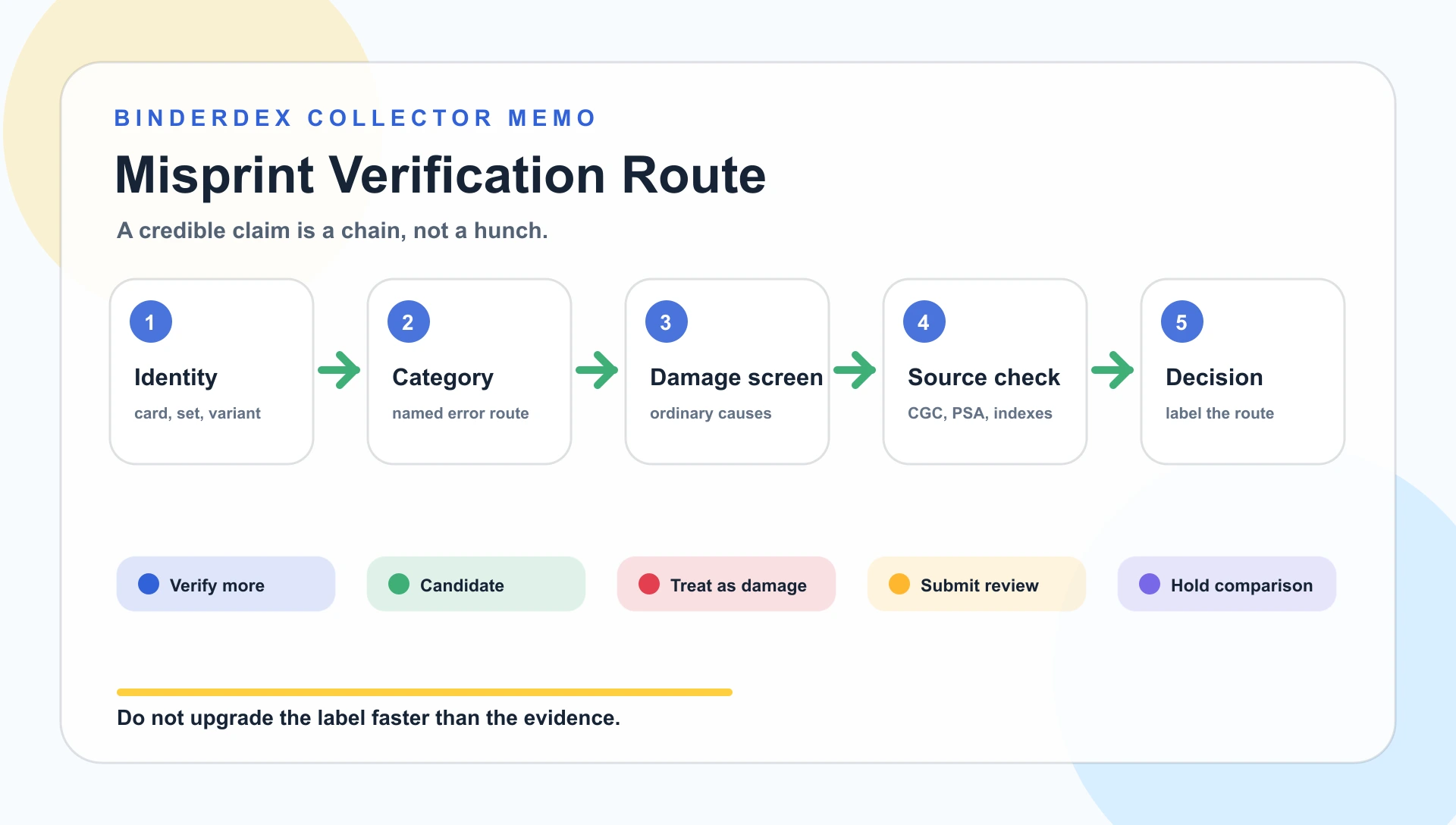
1. Photograph before more handling
Take front, back, edge, corner, and angled-light photos before cleaning, flattening, bending, resleeving aggressively, or trying to "fix" the card. The first photos are often the cleanest evidence you will ever have.
2. Lock exact card identity
Use the Pokemon TCG database support path to verify card name, expansion, rarity, illustrator, and other searchable fields. If the exact card is uncertain, the anomaly is uncertain. A card can only be abnormal relative to what normal is supposed to be.
3. Name the error category
Use CGC's error guide as the taxonomy layer. Ask whether the card looks like off-center, miscut, crimp, obstruction, printer hickey, missing ink, texture issue, wrong back, square cut, stamp issue, or another named production route.
4. Run the damage screen
Look at the card under strong light and from multiple angles. Start with the surface: is the gloss broken? Then compare whether the mark sits over the print or inside the print. Both sides matter when pressure is possible. Edge questions should focus on whether the cut looks post-manufacture.
5. Compare known examples
Use Bulbapedia and RubenMisprints for leads on known examples. Use Misprint.com for example-reading and market context. Treat those as useful signals, not official certification.
6. Choose the decision route
Your route should be one of five labels: verify more, document as candidate, treat as damage, submit for grading review, or hold for comparison. Anything stronger should wait until the evidence supports it.
Example Routes That Change The Decision
If you see a crimp at the top edge, compare it with the shape and spacing of a documented pack crimp such as the CGC-style Machamp example route. Random pressure lines belong in the damage lane until evidence changes.
Square corners should be compared with CGC's square-cut Charmander example, then slowed down. CGC warns that uncut Pokemon sheets have entered the secondary market and can be cut later by dishonest sellers. A square corner needs provenance before excitement.
If you see unusual blue, red, or yellow marks, compare the claim shape to printer hickey and obstruction examples, such as CGC's Fossil Slowpoke printer hickey or Bulbapedia's named Blue Stain examples. Then ask whether it could be a stain, water mark, sun fade, surface residue, or recoloring.
If you see a text oddity, search for the card and exact wording. Base Set Ninetales "No Damage," Base Set Vulpix "HP 50," and Base Set Voltorb "Monster Ball" are different claim shapes. A smudged, scratched, or water-damaged text box is not the same claim.
If you see a texture or holo oddity, compare it to CGC's Shining Fates Rillaboom pinched-layer example and then inspect both sides. A production texture issue should behave differently from a scratch, dent, roller line, lifted foil, or pressure mark.
The serious collector posture is not cynicism. It is a way to let real errors survive scrutiny.
Decision Routes Before You Act
| Route | Best when | Check first | Watch out for |
|---|---|---|---|
| Verify more | The anomaly fits a category, but evidence is incomplete. | Normal-copy comparison, CGC taxonomy, damage screen. | Excitement can outrun evidence. |
| Document as candidate | The category is named and damage markers are weak. | Photos, exact identity, source notes, comparison copies. | Candidate is not the same as confirmed. |
| Treat as damage | The issue shows trimming, stain, crease, dent, cleaning, wear, or surface break. | Edge tone, gloss, pressure, front/back evidence. | Damage can still be collectible, but name it honestly. |
| Submit for grading review | The card is protected, documented, and company guidance supports the route. | Current CGC/PSA eligibility and service details. | A submission does not ensure the label you want. |
| Hold for comparison | You need more examples or the card is personally meaningful. | Storage, notes, and whether the card fits your binder. | Memory turns candidates into "confirmed" if notes are weak. |
Choose the route from the evidence level, not the excitement level. Speed saves time but hides mistakes. Research improves confidence but can consume hours. Grading can authenticate or label an error, but it adds cost, time, and uncertainty. Holding can be right if the card still fits the collection.
My decision rule is this: do not upgrade the claim faster than the evidence. A card can be weird, plausible, documented, and still not confirmed. That is not a weak conclusion. It is an accurate one.
Before submitting an unusual card, use how to grade Pokemon cards: what collectors should check first to separate condition ceiling from error eligibility. A cleaner condition check makes the grading route easier to explain.
How BinderDex Fits
BinderDex is the card record, not the ruling. For this topic, the product role is to preserve exact-card context: card identity, binder fit, condition notes, photos, source links, and the reason the card moved into a route.
That matters because the weak point is often detached context. Misprint candidates get remembered as confirmed. Damaged cards get remembered as special. Source links get lost. Comparison copies are forgotten.
Use BinderDex as the operating layer. Search the exact card. Mark the route. Add notes when evidence is incomplete. Keep photos and source links close to the card. Then use official sources, grading-company pages, and known-example indexes to verify the claims that matter before money, cards, or time move.
FAQ
How can I tell a misprint from damage quickly?
Start with the exact card, then name the possible error category and look for ordinary damage signs. If stress, water, trimming, stains, or surface breaks explain the oddity, keep the misprint claim provisional.
Does a square corner mean my Pokemon card is factory cut wrong?
Not by itself. Square corners can be legitimate error candidates, but sheet-cut cards and later trimming can imitate them. Check edge quality, provenance, era, and grading-company guidance.
Should I sell a possible misprint before verifying it?
Avoid selling on a confident misprint claim until the evidence supports it. Use neutral language, clear photos, and exact-card notes if the card is still only a candidate.
What should I do if the card is damaged but still cool?
Keep it if it fits your collection, but name it honestly. A damaged card can be meaningful without being described as a factory error.
What To Watch Next
- Square-cut claims: Ask for provenance and check CGC guidance. Risk: Sheet-cut cards can be misrepresented as factory errors.
- Crimp claims: Photograph the crimp pattern and nearby edge together. Risk: Creases and pressure lines can imitate packaging errors.
- Ink claims: Compare against a normal copy in the same set and finish. Risk: Stains, sun fade, and recoloring can look like ink anomalies.
- Texture and holo claims: Tilt the card and inspect both sides. Risk: Roller damage, scratches, dents, and lifted foil can imitate production issues.
- Text/design claims: Check known-example indexes before treating a typo as unique. Risk: A smudged or damaged word can create a false story.
- Submission claims: Check current CGC and PSA pages before sending. Risk: Eligibility and labeling rules can change.
Know exactly what is in your collection.
Download BinderDex on iPhone or Android to track exact printings, organize your binders, and follow card and sealed product values in one place.
Prefer mobile?