How to Organize Pokemon Cards: A System That Scales
Build a collection you can add to today and still understand next year.
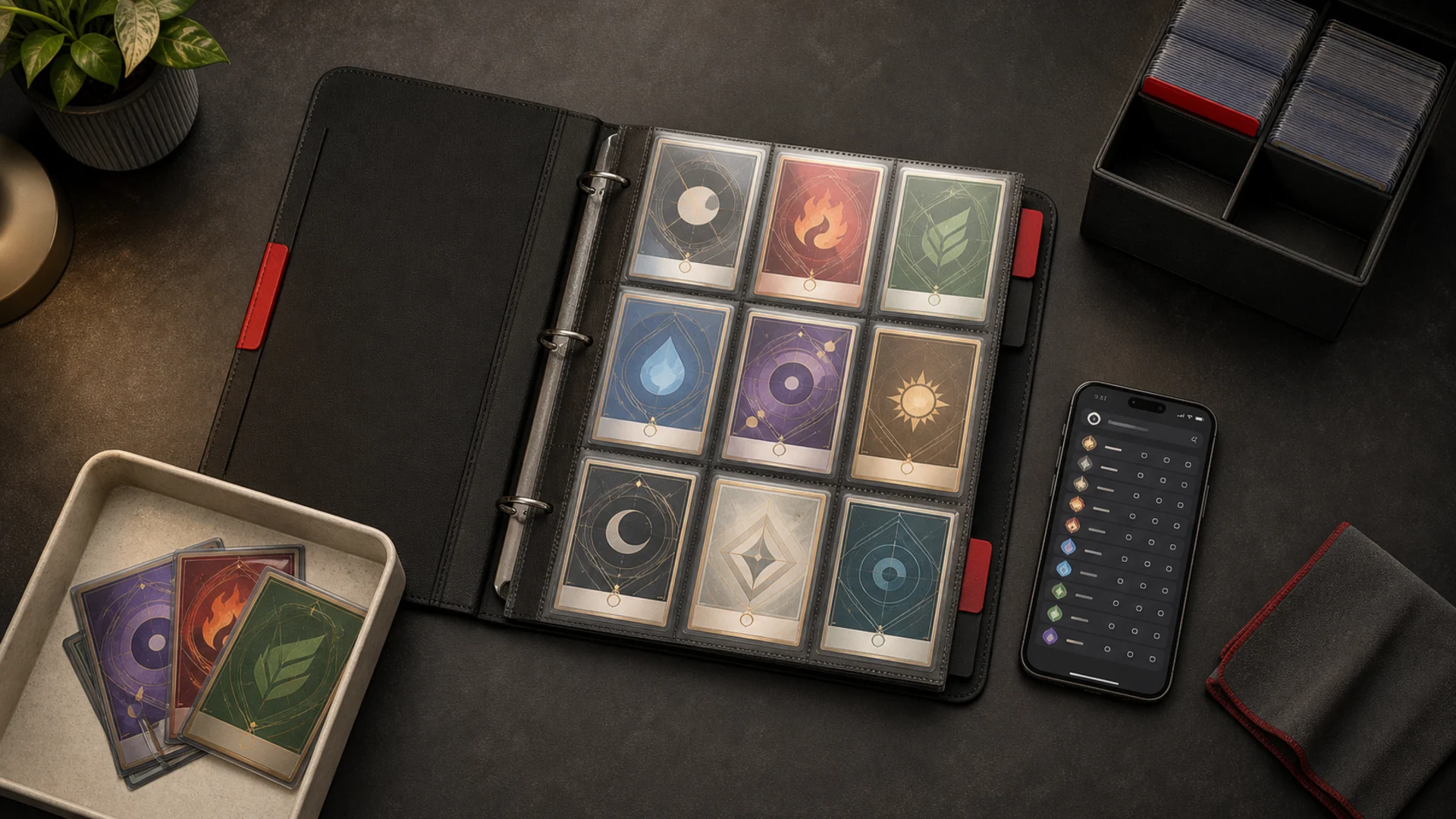
The best way to organize Pokemon cards is to separate three decisions: what the card is, where the physical copy lives, and what you plan to do with it.
Do not start by buying more binders. Start with one intake tray, a few clear destinations, and a rule you can repeat after every pack, trade, or mail day.
- Put every unsorted card in one intake tray.
- Confirm the game, set, collector number, finish, and language.
- Choose the card's job: set project, favorite, deck, duplicate, or review.
- Give the physical copy a location you can find again.
- Mirror owned cards in your portfolio and wanted cards in your watchlist.
Give every area of the collection a job
A binder becomes confusing when it tries to be a set checklist, a favorites gallery, a trade binder, and an overflow box at the same time.
Decide what each area is for before you sort a card into it. The categories can stay simple.
| Collection area | What belongs there | Useful order |
|---|---|---|
| Set project | One copy for each checklist position | Collector number |
| Favorites or display | Cards chosen for character, artist, era, or page design | Visual story |
| Decks and play | Playable copies and active deck parts | Deck, type, or function |
| Duplicates or trades | Extra copies that are not part of the main display | Set, then collector number |
| Protected review | Cards needing identity, condition, authenticity, or grading review | Reason for review |
The review area matters. It keeps one uncertain card from stopping the whole session, and it prevents a guess from entering your binder or digital inventory as fact.
Use a small tray or deck box for intake. Nothing stays there permanently. Its only job is to hold new cards until you make the next decision.
Make the first pass without prices
Price is a poor sorting key. It changes, it can be wrong for the exact printing, and it encourages you to re-litigate the system whenever a card moves.
The first pass should answer only the facts needed to route the card:
- Which game is it from?
- Which set and collector number identify it?
- Is the finish or language different from the standard copy?
- Is this your first copy or a duplicate?
- Is any part of the identity still unresolved?
For Pokemon cards, the collector number is usually printed near the bottom edge. Read both sides of the slash. A card numbered 116/084 does not occupy the same checklist slot as 048/084.
If the exact printing is uncertain, pause it. Use the BinderDex set catalog or the card search in Explore before assigning a permanent location.
That small pause is faster than correcting a binder, portfolio, and want list built on the wrong match.
Choose the order that matches the goal
There is no universal best binder order. There is a best order for the question your binder is meant to answer.
To lay out the pages before you buy sleeves, see how to plan a Pokemon binder layout.
Use collector number for set completion
Collector-number order makes a missing card visible. It also keeps alternate characters, rarities, and card types in the sequence defined by the set.
This is the clearest route for a complete set or a smaller run such as the 84-card Pitch Black main set.
Leave an empty pocket only when it represents a specific missing card. A deliberate gap is a checklist. A random gap is just unused space.
Use a visual rule for favorites
A favorites binder does not need to imitate a set list. Organize by Pokemon, artist, era, color, evolution line, or any other rule that makes the pages satisfying to revisit.
The important part is consistency. Write the rule inside the cover so a future addition does not force you to redesign the whole binder.
Keep play copies and duplicates outside the display rule
Deck cards need to be easy to retrieve and replace. Duplicates need to be easy to count, trade, or sell. Neither job benefits from occupying a carefully planned display slot.
Keeping them separate also shows whether a binder gap is truly missing or whether the card is hiding in a deck or duplicate stack.
Give every physical card a retrievable location
You do not need a warehouse system. You need labels that still make sense after a second binder and a third storage box appear.
Start with plain names: Pitch Black binder, Favorites binder, Deck box, Duplicates, and Review. Add codes only when the collection becomes hard to search by sight.
A compact location code can look like this:
PB-B01-P06-S03: Pitch Black, binder 1, page 6, slot 3.FAV-B02-P04: favorites, binder 2, page 4.DUP-PB-R02: duplicates, Pitch Black divider, row 2.REV-ID: protected review, exact identity unresolved.
The code is not the system. Retrieval is the system. If Pitch Black binder, page 6 gets you to the card in seconds, stop there.
Keep the code on a small index card inside the binder or box. You can then use the same text in a spreadsheet, collection note, or export without inventing a second naming scheme.
A worked example with three Mega Darkrai ex cards
Imagine an intake tray with two copies of Mega Darkrai ex 048/084 from Pitch Black. You also want Mega Darkrai ex 116/084, but you do not own it.
First, confirm the two copies are 048/084. The shared character name is not enough because Pitch Black contains several numbered Mega Darkrai ex cards.
The collector number decides whether a card is owned, duplicated, or still missing.
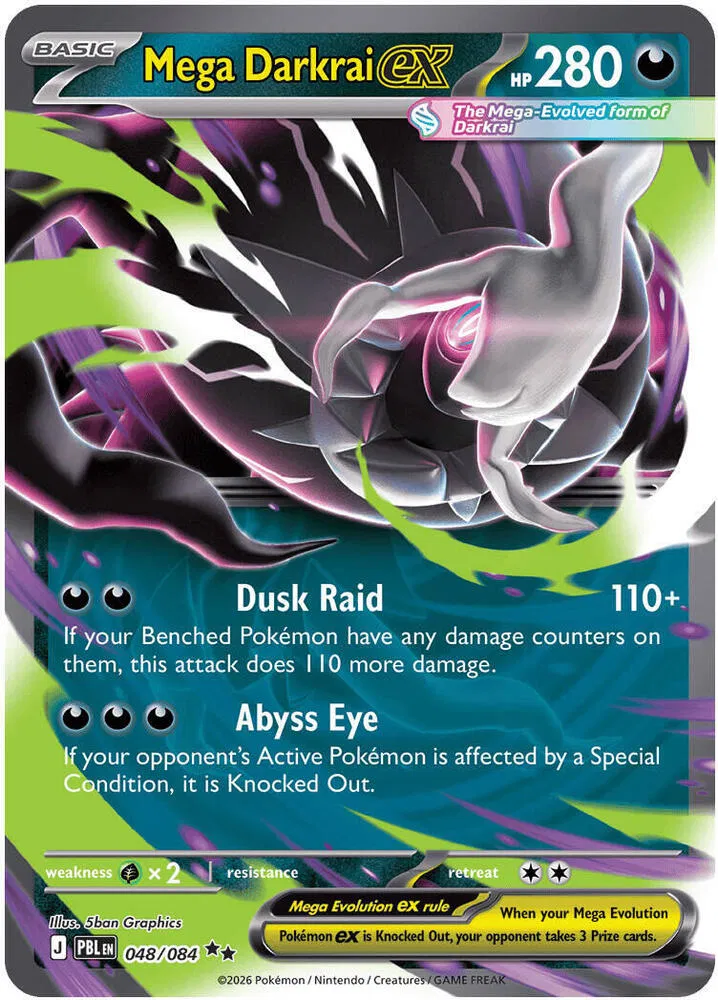
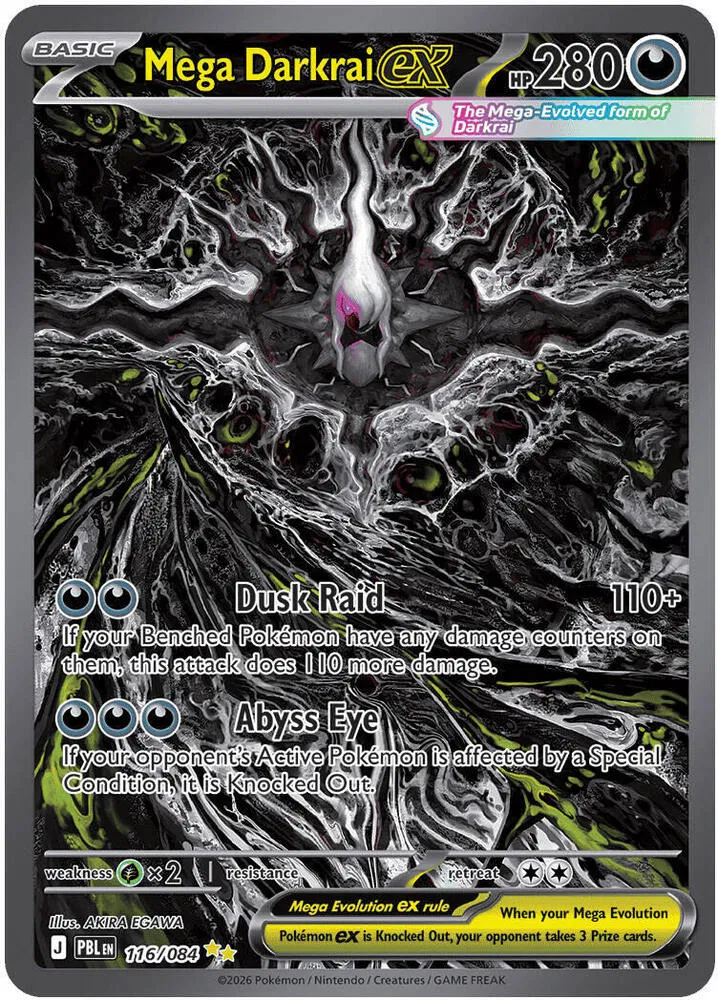
Put the cleaner display copy in the Pitch Black binder at the 048/084 position. If you use codes, its note might read PB-B01-P06.
Move the second 048/084 into the Pitch Black section of the duplicate box. It is not a missing checklist card, and it should not fill the 116/084 gap.
In BinderDex, add 048/084 to your portfolio and record the quantity you own. Add 116/084 to your watchlist because it is wanted, not owned.
The Pitch Black set page can then separate owned and not-owned cards. The physical binder, duplicate box, portfolio, and watchlist now tell the same story.
Use the full Pitch Black checklist guide if that set is your project. This article owns the organization system; the set guide owns the exact checklist.
The 10-minute intake loop
Large organizing projects fail when every session requires an empty table and an entire afternoon. A short intake loop is easier to keep.
- Gather: Put every new card in the intake tray. Do not scatter small stacks around the room.
- Identify: Read the set and collector number. Note finish, language, and any unresolved match.
- Route: Choose set project, favorites, deck, duplicates, or protected review.
- Store: Put the card in its permanent location and update the location note if you use one.
- Mirror: Add owned cards to Portfolio and wanted cards to Watchlist. Then empty the intake tray.
Ten minutes is a limit, not a promise that every stack will disappear. When time ends, leave the remaining cards in the one intake tray and resume from there.
The habit to protect is closing the loop on each card you touch. Half-sorting fifty cards creates more work than fully routing twelve.
How BinderDex fits the physical system
The physical collection answers, “Where is my copy?” The digital collection should answer, “Which exact copy do I own, and what am I still looking for?”
For the digital-record and data-model decision, use the Pokemon card collection tracker guide. It covers what to track before you decide how the record should support this physical system.
Use an exact card page to settle identity. Use Portfolio for cards you own. Use Watchlist for cards you want or are still considering.
On a BinderDex set page, owned and not-owned filters turn the catalog into a live checklist. That is most useful when the binder follows collector-number order.
Do not add a card to Portfolio merely because it is on your wish list. Do not leave an owned duplicate only in Watchlist. Those shortcuts make the digital record disagree with the shelf.
BinderDex does not need to replace the physical labels. It becomes the searchable layer that tells you which exact record belongs to each labeled location.
How to maintain the system as it grows
Do a small reset whenever the intake tray fills. Do a larger review when a binder or duplicate section reaches about four-fifths of its useful capacity.
That review should answer three questions:
- Does every area still have one clear purpose?
- Can you retrieve a named card without searching several containers?
- Do the owned and wanted records still match the physical collection?
Expand the container, not the rules. A second Pitch Black binder can become PB-B02. You should not need a new taxonomy because one binder filled up.
Photograph the inside-cover label before moving a collection. If a box is misplaced, the naming map survives on your phone.
FAQ
Should I organize Pokemon cards by set or rarity?
Use set and collector-number order for completion. Use rarity only as a secondary divider for duplicates or review cards. Rarity order makes missing checklist positions harder to see.
What should I do with duplicate Pokemon cards?
Keep duplicates outside the main set binder unless the project counts multiple finishes or copies. Sort extras by set and collector number so you can count and retrieve them quickly.
Should I leave gaps for missing cards?
Yes, when every gap represents a known checklist position. For a favorites binder, avoid speculative gaps; rearrange by page when you have enough cards to improve the layout.
Can I mix different Pokemon sets in one binder?
Yes. Use dividers, a contents card, and a fixed order for the sets. Give each set enough room for its current goal, then move to a second binder before the boundaries blur.
How often should I reorganize my Pokemon cards?
Route new cards after each opening, trade, or mail day. Review the larger structure when retrieval becomes slow, a section reaches capacity, or the collection goal changes.
What to watch next
- Use Pokemon Card Rarity Symbols Explained when the symbol or rarity lane is unclear.
- Use Pokemon Holo vs Reverse Holo Cards Explained when two copies share a number but not a finish.
- Use the Pokemon Card Collector Confidence Guide when a card needs identity, condition, or next-action review.
- Use the Pokémon card organization and protection reference hub when the system also needs storage, protection, digital records, and maintenance context.
Know exactly what is in your collection.
Download BinderDex on iPhone or Android to track exact printings, organize your binders, and follow card and sealed product values in one place.
Prefer mobile?